Showing posts with label Education. Show all posts

Wednesday, July 21, 2010

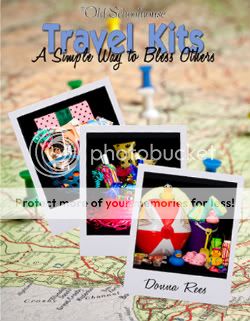
TOS Crew Review - Travel Kits E-book

Just picture it, traveling down the interstate  with a handful of  screaming kids..with the incessant  'Are we there yet??? ' coming from the back row......have you had a car trip that resembled this tale?? I know that we have!!!

Travel Kits, A Simple Way to Bless Others an E-Book by TOS is here to save the day...

As part of the Homeschool Crew we were given a free copy of Travel Kits E-book in exchange for our honest opinion.

Donna Rees the author of Travel Kits challenges you to demonstrate a little love, a little ingenuity, and a little organization: by making a travel kit—a simple way to bless others.

So what is a Travel Kit you ask ~ it is a collection of gifts that you can create for your family, or as a gift for a family you know who is about to set sail, that are designed to entertain and/or delight the recipient.  I should note here, that Travel Kits are not just for young children. While that was my example, and yes, little ones need lots of things to keep them entertained. Everyone, any age, love to be thought of, and Travel Kits are a wonderful way to help them feel loved and cared for!  Even grown ups!

Within the pages of Travel Kits,  Donna Rees takes  you step by step on how you can create your own Travel Kits.

At the foundation, you are ministering to the family you are blessing. Whether it is your own family or a family you know the principle is the same. In the bible we are instructed in Luke 6:31, ' And as ye would that men should do to you, do ye also to them likewise.'   In Phil 2:3 it says '...let each esteem other better than themselves'.

Keeping these biblical principles in mind, Donna has you look at who your recipients are, how long will they be traveling, and what are some of their interests. Once you have done that, you will be able to create a Travel Kit that will bless those who receive it.

Donna will then show you how you can gather items for each member of the family. How to wrap them, assemble them and even how to disperse gifts throughout the trip.

Donna really makes the process fool proof! No expertise needed, only a loving heart, and a desire to bless!

As I read this book, not only did I think of many ways that I could use travel kits for my own family, as well as, families I know. But, I also thought of several ideas that I could use for many occasions, using the same principles.

I challenge you to stop by the The Schoolhouse Store and purchase your copy of Travel Kits, (available for $12.45)  and start blessing those around you! And better yet, come up with even more ideas to bless those around you, using the ideas you learned using Travel Kits, and then come back here and post about them!

Take a moment to visit the Crew Blog to see what my crew mates have to say about Travel Kits!

May you all be blessed as you bless those you love!

Sunday, July 18, 2010

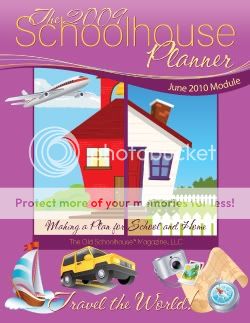
TOS Crew Review - Schoolhouse Planner Module June 2010

The 3rd Voyage of the TOS Homeschool Crew has set sail, and our first review item has boarded! We were given a free copy of  The June 2010 Module Travel the World, for the Schoolhouse Planner for free for the purpose of review.

Now, I should tell you before we go any farther, I have always loved the Schoolhouse Planner and the modules! So, I was looking forward to reviewing this one!

So many times when you get one of these  'E-books', they really are geared for the younger set. While Travel the World, does have plenty of information and activities for that age group, (coloring pages, word finds, lapbook beginnings, etc..). What impressed me was that they have gone the extra mile to include a high school section. Now that I have 4 high school students, this is a very important aspect for me.

This is not simply an E-book that you can print out and use, which you can do, by the way. However, it is chock full of interactive links throughout the module. Links are included in both the younger section, as well as, the high school section.

The links consists of additional information, as well as games that your child can use to help cement the information into their brains.

Another blessing of this module, is the fact that it is from a Christian Worldview.  God and His Word are throughout the unit. And not just as an afterthought. Each passage included is relevant to the point of study.

While clearly not a year long course, for $7.95 this is an awesome supplement that will help your child, no matter the age, either become familiar with the geography of the world, or for the older students, help concrete knowledge they may have already been exposed to.

I highly recommend Travel the World to any homeschooler!

Visit the Schoolhouse store to find Travel Around the World and other Planner Modules!

As always, please visit the crew blog to see what my crew mates are saying!

Happy Traveling!

Friday, July 2, 2010

SALE: Math Galaxy

Below you will find my original review for Galaxy of Education, for Math Galaxy.  While looking through my reviews, trying to find one to place  in our local homeschool group newlsetter, I discovered that Math Galaxy is having a huge sale for a limited time!!! It appears that their prices are 50% off. For a limited time!

If you need a math supplement, please take a moment to visit their website to see if it is a good fit for your family!!!

Our next stop on our TOS Homeschool Crew Voyage is with the fine people at Galaxy of Education. As Crew Mates we were given free access to their Math Galaxy Programs and E-books in exchange for our honest opinions.

If you have followed my voyage for any amount of time, you know that math is not my favorite subject. So anytime I stumble across a program or tool that will help me teach my children math skills, this intrigues me. Will it indeed be a program that will help us?

First, let's look at what they have available. There are several Java-based programs covering the topics of;

~Math Galaxy Whole Numbers Fun
~Math Galaxy Word Problems Fun
~Math Galaxy Fractions Fun
~Math Galaxy Decimals, Proportions and Percents Fun
~Math Galaxy Pre-Algebra Fun
~Math Galaxy Algebra Fun


There is also something available called The Riddler Worksheet  Generator. It is available in the following titles;


~Whole Numbers
~Fractions
~Decimal Proportions Percents
~Algebra


Math Galaxy also offers several E-books they call Riddles Books. They are


~Fraction Riddles E-book
~Algebra Riddles E-book
~Whole Numbers Riddles E-book
~Decimal Riddles E-book


I have seen pros and cons with these programs. The PROS: my son enjoyed using them! That is half the battle right there, isn't it? He would sit down and work about 45 minutes on his math. Secondly, it really was helping him The way the program works is when you click into a subject, say... 'Area' off of the screen below...

You are then taken to a screen that gives you a couple of options. One of those options is 'review'. When you click on that area, it is a tutorial. Your child will click through a series of screens learning the skill he will be using in that section. Once he completes that  he can move onto the doing the practice problems. You can choose to have them do 'step by step' or 'final answer only'. We always chose 'step by step'.  These programs have helped to move him along quicker than he was working through his math previously. That is a plus!

Now, what are the con's? First, your child needs to be a reader! If you have a struggling reader, then this program is not going to be a good fit. They have to read through the tutorials and problems.  We have several dyslexics in my home, so this was an issue for some of my children.  The second would be that, when the child does his work he earns robots, that allow him to play some games that are included with the program. Which is a great incentive. However, you must be aware that the robots do not carry over for future use. So you need to work that reward time, into the time you have allowed them to use Math Galaxy.  And the final con, is that it is not a tool that you can use, and see really how your children are doing. There are no reports offered to show they have mastered a skill, or even what kinds of problems they have been doing. Having this feature would really enhance this product.

However, even with the cons that I listed, I really did like this program. We learned how to work the program to best serve our family and it really has been a blessing.

You can order any of the Java Based Programs and the Riddlers Worksheet Generators for $24.95 each. The  E-books are available for $12.95. You can order all of these products  by visiting Math Galaxy.

Please take a moment to cruise on over to the crew blog to see what my crew mates have to say about these products.

Tuesday, June 22, 2010

Graphics Toolbox Tuesdays - What's Wrong With This Picture

For this weeks installment of Graphics Toolbox Tuesdays, we are looking at something that you the parent can create over and over again, to help your special needs child.

With this project you might choose to print out these projects, however, you can also put them in a photo album on the computer and just flip through them.

Many special needs kids have a problem at look at the big picture. They cannot look at something and find items that do not belong, for example.

So I made up two samples of  'What's Wrong With This Picture' cards, that can be used with your special needs kids. These cards I made a bit obvious, however, depending on the needs of the child, and the age of the child, this might be where you start. As time goes on, you can make more subtle changes in the pictures. The possibilities are endless.

So look below and see if you can see what's wrong with these pictures.....


In the above picture, it is plain to see that we have added a crown on this soccer players head.. clearly not the appropriate head gear for a soccer match! As well as changing the soccer ball to a football.. one of my teenagers thought that was quite clever, considering we are the only country that refers to it as soccer and not 'football'.  With both of these changes, I used an irregular frame to pull out the image from it's original background and then added it into this photo. You can use this feature for many different reasons, not just the 'What's Wrong With This Picture' card.

And..........


In this photo I placed an apple in the pitcher's hand,  using the same technique as described above.  We also changed his show to a purple color. We used the color change option for that. We framed out the shoe, by tracing around the outline of the shoe, and then we were able to change only the color of the shoe.

As you can see Graphics Toolbox is a versatile tool that can help enhance your child's educational experience, no matter their age or learning abilities.

If you would like more information on Graphics Toolbox, please visit our website at

www.greatsoftwaretools.com

or email me at jennifer@greatsoftwaretools.com

Graphics Toolbox equips homeschoolers with cutting edge tools to enhance their education today, and give them the skills they need to be competitive tomorrow.

Sunday, March 7, 2010

TOS Crew: Great Software Tool Graphics Toolbox

When I heard that we, as members of the TOS Homeschool Crew would be reviewing Great Software Tools Graphics Toolbox, I was both thrilled and apprehensive.

In addition to a homeschool mother, and amateur blogger, I also write the monthly newsletter for our local homeschool group. I was hoping that this program, might help me with the newsletter. Help to give it a new look. And in time, I am sure it will.

What is Graphics Toolbox? It is a graphics design program, made especially for the home user. However, it has many features that are typical for professional software, at a cost that is geared for the average user. So, how does this tie into homeschooling?

It is simple really. As many of you know, our family uses hands on activities as much as we can, to facilitate comprehension. You can use Graphics Toolbox for the same reason. While you are at it, you can create unique projects that your kids will both enjoy creating and will be proud to showcase!

As I mentioned earlier, I am a novice at Graphic Design. So learning how to work the program, has not been as easy as I hoped for, however, it has been easier than I expected.. if that makes sense.

I had grand ideas of being able to do wonderful projects quickly, while I have learned how to do several things, they are still in the beginning stages. I intended to place my first projects below. However, I have been having trouble uploading them. I will get those up as soon as possible!!

***Please visit here to see the project completed during my trial review period.***

At this point, I have learned to extract an image from a photo. And insert it into a new photo. I had pictures of my kids playing piano in a competition, I took them with the piano out of the original photo, and put them in a photo playing in front of a large crowd. Which was really fun! They loved seeing the finished product!

My goal is to continue working with the program and share with you as I progress. Also, hoping to make some changes to my blog, once I figure out how to insert a new blog header, that is!

I must say, that I have really enjoyed getting to know this program, and look forward to my continued use and understanding of it. I will tell you, that I tried a different graphic design program several years ago, and it was much too complicated.  Graphics Toolbox was easier to understand. Primarily due to the tutorials on their website that give you step by step directions on how to use the program.  You can see some of those tutorials, by visiting here.  With out those, I would not have been able to figure out what the buttons were used for, or I should say, how to use them.

Another plus is the fact that Graphics Toolbox is available for $149. That is an amazing price. The last program I looked at was upwards of $600. The $149 price point, makes it possible for the home user to have the same professional quality at a home user price!

Please visit the crew blog to see what my crew mates think of this product!

I received a free copy of Graphics Toolbox in exchange for my honest opinion. All claims expressed here are mine alone.

**New Disclaimer** As of May 2010, I am now working with Graphics Toolbox as a Homeschool Sale Specialist. The above review was written prior to any working relationship was created.

If you would like more information on purchasing Graphics Toolbox or how to incorporate it into your homeschool, please contact me at jennifer@greatsoftwaretools.com